
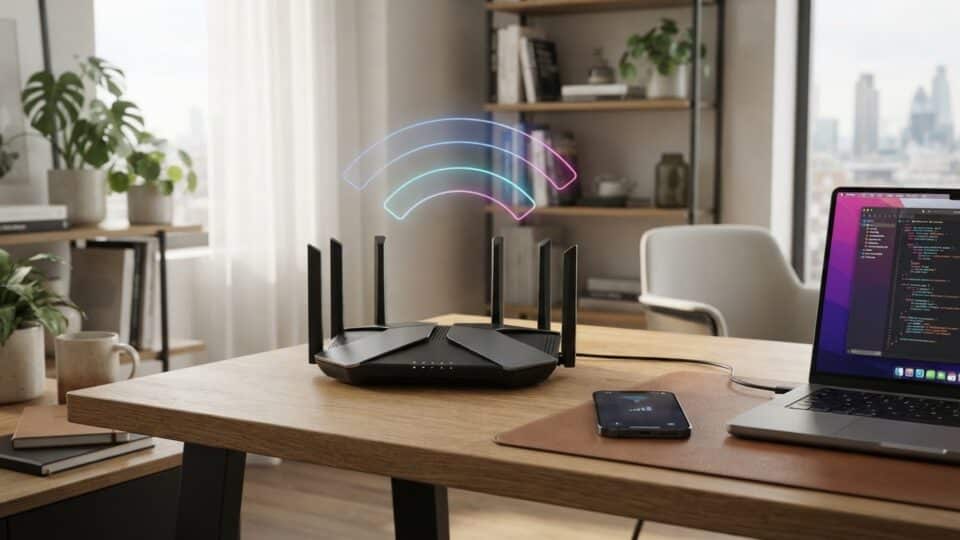
In 2026, Wi-Fi 7 is no longer a technology of the future: the standard is already available in routers, phones and laptops you can buy. But the important question is not whether Wi-Fi 7 is faster than Wi-Fi 6 or 6E—it is. The question is whether you will notice the difference at home, and whether it is worth replacing a router that works well.
The short answer: for most homes with 500 Mbps or 1 Gbps internet and a few devices, a good Wi-Fi 6 router remains sufficient. Wi-Fi 7 starts to make sense when you have multi-gigabit internet, many devices in use at once, fast local transfers, low-latency gaming, a NAS, high-resolution streaming, or a home where the 5 GHz band is heavily congested.
Wi-Fi 7 in 2026: what it adds over Wi-Fi 6 and Wi-Fi 6E
Wi-Fi 7 is the commercial name for the IEEE 802.11be standard. It retains the familiar 2.4 GHz and 5 GHz bands and, where regulations permit it, also uses the 6 GHz band.
The main additions are:
- channels up to 320 MHz, compared with a 160 MHz maximum for Wi-Fi 6/6E;
- 4096-QAM (4K QAM), which can carry more data in good signal conditions;
- Multi-Link Operation (MLO), which allows a device to use multiple Wi-Fi links;
- Multi-RU and puncturing, for more efficient use of congested channels;
- greater capacity and potentially lower latency on busy networks.
Intel estimates that its 2×2 Wi-Fi 7 adapters can reach PHY speeds of up to 5.8 Gbps in configurations using 320 MHz and 4096-QAM. That is the radio-link speed, however, not the guaranteed speed of an internet download.
What MLO is and why it is one of the most important features
Multi-Link Operation allows a Wi-Fi 7 device to use multiple radio links simultaneously or dynamically—for example, 5 GHz and 6 GHz.
The benefit is not just speed. MLO can help with:
- reducing latency;
- avoiding congestion on a single band;
- improving connection stability;
- switching more efficiently between links when one becomes congested.
For gaming, video calls and interactive applications, stability and latency can matter more than an eye-catching speed-test result.
320 MHz: twice the maximum width of a Wi-Fi 6E channel
Wi-Fi 6 and Wi-Fi 6E use channels up to 160 MHz wide. Wi-Fi 7 can double that width to 320 MHz, allowing a larger volume of data to be transferred in the same amount of time.
There are two important conditions: the router must support 320 MHz, and the client device must be able to use that channel width.
Not every phone or laptop labelled “Wi-Fi 7” uses every feature of the standard.
A Wi-Fi 7 device is not automatically a 5.8 Gbps device
This is where marketing can be misleading.
Some Intel Wi-Fi 7 adapters for PCs support two spatial streams, 320 MHz channels and 4096-QAM, and can theoretically reach about 5.8 Gbps PHY.
Apple, by contrast, lists a maximum channel width of 160 MHz and a maximum PHY rate of about 2.4 Gbps on 5 GHz and 6 GHz for several recent Wi-Fi 7-compatible iPhone models.
So the presence of “Wi-Fi 7” on the box does not mean every device can use the same maximum speed.
Which iPhones support Wi-Fi 7
In 2026, Apple offers Wi-Fi 7 support on recent iPhone generations, including the iPhone 16 series and compatible later models, with some exceptions in its more affordable ranges.
Apple states that Wi-Fi 7 devices can use the 2.4 GHz, 5 GHz and 6 GHz bands in regions where 6 GHz is permitted. Recent models also use Multi-Link Operation.
An important detail: the iPhone 15 Pro and iPhone 15 Pro Max are Wi-Fi 6E, not Wi-Fi 7. They can use the 6 GHz band, but not the 802.11be standard.
Which Samsung phones use Wi-Fi 7
Samsung lists Wi-Fi 7 support on models including the Galaxy S24 Ultra and compatible Galaxy S25 generations. On other phones, even if the router is Wi-Fi 7, the connection will use the fastest standard shared by the router and the phone.
This is an important principle for any network: a Wi-Fi 7 router is compatible with older devices, but a Wi-Fi 6 phone does not become Wi-Fi 7 simply because it connects to a new router.
Wi-Fi 7 on laptops and PCs
The situation is more flexible on PCs. Intel Wi-Fi 7 adapters such as the BE200 and BE201 can, in compatible configurations, support 320 MHz and PHY speeds of up to 5.8 Gbps.
Upgrading a wireless card is not always straightforward, though. Compatibility depends on:
- the type of slot and interface used by the laptop;
- the hardware platform;
- the BIOS and drivers;
- the existing antennas;
- the operating system.
For a desktop PC, installing a Wi-Fi 7 PCIe card is often easier than replacing a laptop’s internal module.
What is happening with the 6 GHz band in Romania
In Romania, ANCOM includes the 5945–6425 MHz band for WAS/RLAN systems, in line with the harmonised European Union framework.
This is known as the lower 6 GHz band. Europe does not currently make the entire 6 GHz band used for Wi-Fi in other regions available. The upper segment, 6425–7125 MHz, remains under consideration at European level and is also used by other services.
In practical terms, a Wi-Fi 7 router sold in Romania may have less 6 GHz spectrum available than the same model configured for certain other markets.
6 GHz is faster, but does not penetrate walls better
A higher frequency does not automatically mean better coverage.
The 6 GHz band provides more clean spectrum and can enable very wide channels, but its signal is more heavily attenuated by walls and distance than 2.4 GHz.
In a small apartment, 6 GHz can deliver excellent speeds. In a large house with thick walls, a single Wi-Fi 7 router placed in one corner will not automatically solve coverage problems.
In that situation, a well-positioned mesh system may matter more than the difference between Wi-Fi 6 and Wi-Fi 7.
What speed you will see in practice
The PHY speed quoted by manufacturers is the raw speed of the radio link. Actual transfer speeds are lower because of protocols, interference, distance and device limitations.
If you have 1 Gbps internet and a good Wi-Fi 6 router, upgrading to Wi-Fi 7 will not turn your subscription into 3 Gbps. Internet speed remains limited by the provider connection and the router’s ports.
To benefit from more than 1 Gbps over Wi-Fi, you also need:
- an internet subscription above 1 Gbps;
- a 2.5 GbE, 5 GbE or 10 GbE WAN port;
- LAN equipment that is fast enough;
- a capable Wi-Fi 7 client;
- a good signal and available spectrum.
Why a Wi-Fi 7 router with a 1 Gbps WAN port can be a poor choice
Some entry-level routers may advertise the Wi-Fi 7 standard while retaining Ethernet ports limited to 1 Gbps.
For internet access, the port can then become the bottleneck before Wi-Fi is used anywhere near its full potential.
If you are investing in a Wi-Fi 7 router for a multi-gigabit connection, check at least:
- the WAN port speed;
- the number of 2.5 GbE or faster LAN ports;
- 6 GHz support;
- MLO;
- maximum channel width;
- the number of spatial streams.
Wi-Fi 6, Wi-Fi 6E and Wi-Fi 7: the difference at a glance
| Standard | Bands | Maximum channel | Key features |
|---|---|---|---|
| Wi-Fi 6 | 2.4 + 5 GHz | 160 MHz | OFDMA, MU-MIMO, high efficiency |
| Wi-Fi 6E | 2.4 + 5 + 6 GHz | 160 MHz | Wi-Fi 6 plus access to 6 GHz |
| Wi-Fi 7 | 2.4 + 5 + 6 GHz | up to 320 MHz | MLO, 4K QAM, Multi-RU, puncturing |
Is Wi-Fi 7 worth it if you have 1 Gbps internet?
In most cases, it is not urgent.
A capable Wi-Fi 6 router can deliver hundreds of Mbps and even speeds close to 1 Gbps in good conditions. For browsing, 4K streaming, video calls and ordinary gaming, the difference from Wi-Fi 7 may be small.
If your current router has coverage problems, an upgrade may help, but not necessarily because it is Wi-Fi 7. It may simply be a router with better antennas, radios and processor.
InfoBuz has separately explained why the internet can seem slow even with a 1 Gbps subscription and why Wi-Fi is only one part of the connection path.
When the upgrade is really worth it
Wi-Fi 7 is a justified investment if:
- you have internet of 2.5 Gbps or faster;
- you have several Wi-Fi 7 devices;
- you transfer large files to a NAS;
- you use local streaming at a very high bitrate;
- you have many active devices at the same time;
- you want the lowest possible latency on the local network;
- you are buying a new router anyway and want to keep it for many years.
When it is not worth it yet
You can comfortably stay with Wi-Fi 6 or 6E if:
- your subscription is 300–1000 Mbps;
- most of your devices are Wi-Fi 5 or Wi-Fi 6;
- you do not have a NAS or large local transfers;
- your current router provides good coverage;
- the main problem is signal through multiple floors or thick walls.
A newer router does not automatically fix a poorly configured network
Router placement, interference, selected channels, transmit power and the number of access points can matter more than the standard printed on the box.
If you notice unknown devices or unusual behaviour on your network, see InfoBuz’s guide on how to check for an unknown device on your Wi-Fi network.
What to check before buying a Wi-Fi 7 router
Do not compare only the “BE” number in the marketing name. Check the actual specification sheet:
- whether the router is tri-band and includes 6 GHz;
- whether it supports 320 MHz in your region;
- whether MLO is enabled and compatible with your devices;
- Ethernet port speeds;
- the number of spatial streams;
- mesh support;
- the security-update policy;
- WPA3 compatibility.
A cheap dual-band Wi-Fi 7 router may be less useful than a well-designed tri-band Wi-Fi 6E system, particularly in a large home.
Verdict: Wi-Fi 7 is the future, but not essential for everyone in 2026
Wi-Fi 7 brings real and significant improvements: wider channels, MLO, better efficiency and the potential for lower latency. The standard is mature, and the device ecosystem is already substantial in 2026.
For most users, however, the biggest noticeable improvement will not come from replacing the Wi-Fi 6 label with Wi-Fi 7. It will come from a well-designed network with a correctly placed router, fast backhaul and compatible devices.
If you already have Wi-Fi 6 or 6E and 1 Gbps internet, the upgrade can wait. If you are building a multi-gigabit network now or buying a router you want to use for the next 5–7 years, Wi-Fi 7 is the logical choice.
Frequently asked questions
Is Wi-Fi 7 faster than Wi-Fi 6E?
Yes. Wi-Fi 7 can use wider channels, 4K QAM and Multi-Link Operation. Real-world speed still depends on the router, client, spectrum, distance and internet connection.
Do I need internet faster than 1 Gbps for Wi-Fi 7?
No, but without multi-gigabit internet the benefit for online access is smaller. Wi-Fi 7 can also be useful for local transfers, latency and capacity.
Does the iPhone 15 Pro have Wi-Fi 7?
No. The iPhone 15 Pro and iPhone 15 Pro Max use Wi-Fi 6E. Compatible later generations introduced Wi-Fi 7.
Does Wi-Fi 7 work with Wi-Fi 6 phones?
Yes. The standards are backward-compatible. The phone will, however, use the fastest standard that it supports itself.
Does Wi-Fi 7 use the 6 GHz band in Romania?
Yes, in the lower 6 GHz band available for WAS/RLAN under ANCOM regulations and the EU framework. Exact availability and parameters depend on the equipment and regional regulations.
Sources: Intel – Wi-Fi 7; Apple Support – Wi-Fi 6E and Wi-Fi 7 networks; ANCOM – RLAN regulation and the 6 GHz band; European Commission – radio spectrum use for WAS/RLAN.








Discuția cititorilor
Ai o opinie sau o întrebare despre acest articol? Spune-ne ce crezi.
Fii primul care deschide discuția.
Te rugăm să păstrezi un limbaj civilizat și să discuți la subiect. Comentariile spam sunt filtrate automat.