
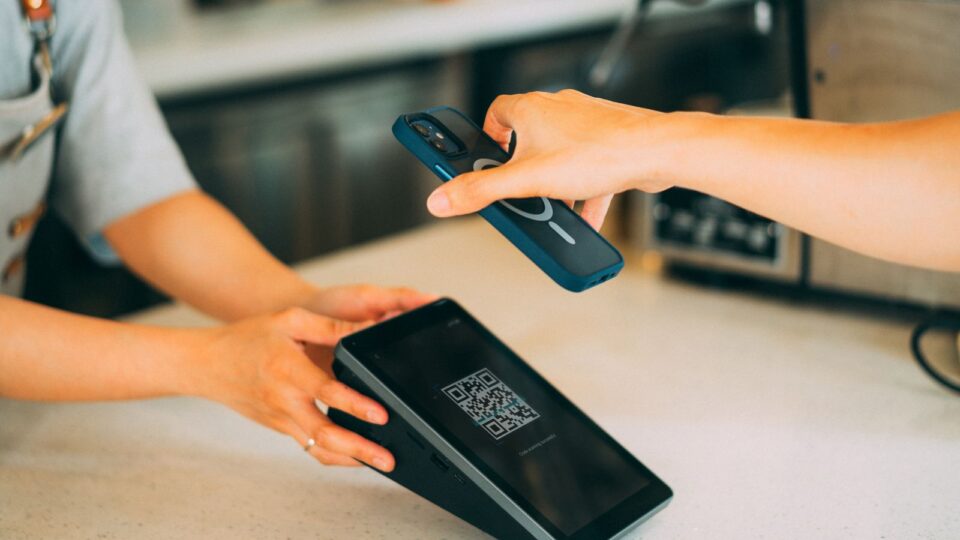
Fake QR codes can appear where people expect to find legitimate services: on parking meters, beside electric-vehicle charging stations, on posters, in parcel messages or even over a code placed by a business. An apparently ordinary black-and-white square can conceal a link to a website that imitates a company’s payment page. An inattentive user may then enter card details, an account password or approve a banking transaction they do not understand.
The attack is known as quishing, a term combining QR code and phishing. It does not mean that all QR codes are dangerous. The UK’s National Cyber Security Centre (NCSC) says that many codes used in restaurants and hospitality venues are generally safe, while posters and payment systems in open spaces can be more easily physically tampered with.
The issue returned sharply to public attention on 3 September 2026, when the US Federal Trade Commission (FTC) issued a new warning about fraudulent codes stuck on parking payment machines. The FBI separately warned in July 2025 about unsolicited parcels containing QR codes used to lure recipients to deceptive pages.
This InfoBuz guide explains how QR-code fraud works, the difference between simply scanning a code and actually disclosing information, what to check at a parking meter or restaurant, how to protect yourself on Android and iPhone, and what to do if you have already opened a suspicious link. The practical examples for Romania are prevention scenarios; we do not present them as confirmed incidents in particular Romanian cities without official evidence.
For more on cyber security, see also AI-cloned voices: how to spot scams impersonating family, your bank or your boss, which offers complementary information on this subject.
Fake QR codes and quishing: how the scam works in five steps
A QR code can contain several types of information, including a URL, text, contact details or instructions for particular apps. The code itself is a way of digitally representing data in an image; it does not guarantee that the information comes from the company whose logo appears on the poster.
- The attacker prepares a destination. Usually, this is a page imitating a real service: parking payment, parcel confirmation, an account login or an update of personal details.
- They distribute the code. They may place it over a genuine code, put it on an improvised poster or send it by email, SMS or in an unexpected parcel.
- The victim scans it. The camera displays a link or a prompt to open one. Sometimes the address is long, shortened or difficult to recognise.
- The page requests an action. It may ask for a card number, CVV, password, authentication code or the installation of an unknown app.
- Compromise occurs if the victim continues. Entered information, authorised payments or installation of malicious software can enable fraud involving accounts or money.
An important distinction: scanning a QR code with a phone camera does not automatically mean the phone has been infected or money has been taken. In typical phishing scenarios, the risk rises when you open the page and, especially, enter information, confirm a payment, grant permissions or install software. Technical vulnerabilities in a browser or operating system may exist, which is why updates remain important, but they should not be confused with every scan.
The FTC explains that criminals often use invented urgency and pages resembling the originals to persuade users to give up information.
A new sticker on the parking meter: how parking payment can be hijacked
Imagine a parking meter with a QR code for payment by phone. A criminal places a second code over it, leading to a different website. The driver is in a hurry, scans it, selects the parking duration and enters card details. The page may even show a false confirmation although the actual parking payment has not been made.
This is not merely a theoretical scenario. On 6 June 2025, the New York City Department of Transportation issued an official warning after a fraudulent QR sticker was found on a parking meter. The agency said that, in that system, authentic payments were made through the official ParkNYC app or directly at the meter, not through third-party codes.
In September 2026, the FTC repeated its warning: a code covering the original may direct users to a website designed to collect money or personal information. Source: FTC, 3 September 2026.
What to check at a parking meter in Romania
There is no single parking-payment system for every Romanian city. Rules and providers can differ from one municipality to another. Before paying, check the operator’s name, the tariff zone and the payment channels listed on the official website of the local authority or parking operator.
If you notice a QR label that is crooked, a different colour or placed over the original wording, do not use it until you have confirmed it with the administrator. You do not need to remove the suspicious code yourself: photograph it without opening the link and report it to the parking operator or relevant authority.
With a suspicious payment, there is also the secondary risk that parking remains unpaid in the real system. Check the proof of payment in the authentic app or channel, not only the message on an unfamiliar page.
Restaurants and cafés: when a QR menu is normal and when to check it
QR codes on menus are widely used, and their presence is not a sign of fraud. The UK NCSC considers scanning codes in pubs and restaurants generally a lower-risk activity than scanning some codes placed in open, unsupervised spaces.
Still, a table stand can be tampered with, and a replaced code can lead to a page claiming that you must log in to a bank account or enter card details to view the menu. It is important to distinguish a legitimate digital menu from an unusual request for information.
A restaurant may request online payment through a real ordering platform. That is not automatically suspicious. But where the stated purpose is merely to view the menu, a request for a banking OTP, internet-banking password or permission to install an unknown app is a warning sign.
A simple approach: ask staff for the menu’s official domain. If the link displayed after scanning differs, find the menu on the restaurant’s website or ask for a printed menu. Do not enter financial information merely because a QR code is on a table at a real venue.
Unexpected parcels: “Scan to find out who sent your gift”
A small package, a cheap item and a note bearing a QR code may seem harmless. The message may say you have won a prize, need to register the gift, or must scan to discover the sender’s name.
On 31 July 2025, the FBI officially described this version of unsolicited-parcel fraud, similar to what is known in the United States as a brushing scam. Its potential purpose is to collect personal and financial data or persuade the recipient to install malicious software.
The FTC also published a warning dedicated to unexpected parcels. There is no obligation to scan a code to check an order you did not place.
In Romania, a message claiming to be from a courier and asking for payment of a small fee through a QR code should be checked through the courier company’s official app or website, accessed independently. Take particular care with messages that combine time pressure and a request for banking details.
The QR code in a work email: why it can bypass some controls
In a workplace, an email may claim that a company password has expired, a Microsoft 365 document needs approval, or the user must scan a code to activate a new security measure. Sometimes the code is embedded in an image or PDF attachment.
The NCSC explains why this technique can work: some security tools designed to detect links in email do not interpret all images in the same way, and employees sometimes open the page on a personal phone, outside the controls installed on a work computer.
The United States Postal Inspection Service warns that QR scams can impersonate institutions, banks and companies. Check through an independent channel: the company app, an address typed manually or the IT team.
Do not approve multi-factor authentication merely because you received a notification after scanning a code. Confirm that you initiated the operation, check the domain and never share security codes.
QR codes at EV charging stations and payment terminals
Electric-vehicle charging stations sometimes use QR codes to begin a session, install an app or make a payment. The risk of physical tampering resembles that at parking meters: a sticker can point to a website that does not belong to the operator.
Not all stations use the same procedure, and a QR code is not automatically suspicious. Check the operator’s name, the station identifier and the payment method in the official app or on the official website. If there are discrepancies or unusual requests, do not enter card details.
Especially during holidays, when a driver has a low battery and is in a hurry, a page saying “pay within 30 seconds or your session will be cancelled” can exploit time pressure. An alternative is to use the legitimate app or contact the displayed assistance number after independently verifying it.
When planning an EV journey, see also InfoBuz’s analysis of planning charging in Romania and checking which stations are operational.
A QR code does not reveal who created it: six types of destination
A user may see a square pattern and believe it proves authenticity. In reality, a QR image can encode different types of information. Interpretation depends on the scanning app and operating system.
| What the code can contain | Legitimate use | What to check |
|---|---|---|
| HTTPS link | Menu, payment, information, form | The real domain, the company and what data the page requests |
| Address or contact information | Saving a contact | The source of the information and the permissions requested |
| Wi-Fi configuration | Connecting to a guest network | The network name, provider and access terms |
| Information for an app | Opening an installed service | The app and the action about to be approved |
| Payment or transfer information | Paying a merchant or making a legitimate transfer | The recipient, amount, currency and confirmed operation |
| Connection or pairing instructions | Authenticating a device | Whether you personally initiated the pairing and recognise the device |
A QR code does not contain a universal trust label proving that it was printed by an institution. Special systems using digital signatures or validation mechanisms may exist, but a publicly displayed code should not be assumed authentic because of its shape alone.
A 12-second checklist: what to check before opening a QR code
- Look at the physical medium. Is it a sticker placed over another code, scratched or attached to an improvised poster?
- Check the setting. Was the code placed by the operator providing the service, or does it appear on an unsupervised object?
- Use the native camera. In general, you do not need an unknown app simply to scan.
- Review the URL preview. Do not open it automatically without reading the address.
- Check the domain, not just words in the link. A brand name can appear in a deceptive path or subdomain.
- Note shortened links. A short URL can conceal the final destination.
- Do not treat HTTPS as proof of identity. A scam website can have a valid certificate.
- Ask what justifies the request for data. An ordinary menu does not need your banking password.
- Do not install software from an unfamiliar page. Use the official store and check the app publisher.
- Do not approve OTP codes or payment notifications you did not initiate. Read the recipient and amount before confirming.
- Compare it with the official channel. Open the company website separately or use the installed app.
- If doubts remain, use another method. Paying at the machine or counter can eliminate the need to scan.
These recommendations are based on guidance from the FTC, the NCSC and the New Zealand NCSC’s 2026 report.
How to read a website address correctly after scanning
One of the most useful skills is recognising the actual domain of a page. Suppose a fictional operator has the official address parcare.exemplu.ro. A page such as parcare.exemplu.ro.verificare-plata.example does not automatically belong to that operator: in this example, the base domain is the part on the right, verificare-plata.example.
The examples above are illustrative and do not identify authentic payment websites. For a real company, the correct domain must be checked using an official source, not guessed from a few letters. Attackers may also use transposed letters, additional words, internationalised domain names or shortened addresses.
The padlock symbol and the https:// prefix show that the connection to the accessed domain is encrypted. They do not prove that the domain belongs to the bank, town hall or parking operator. A false website can use HTTPS just as a legitimate one does.
A practical check is to close the page and independently open the official app. If the payment method and parking identifier do not appear there, ask the operator for assistance before proceeding.
Android: how to scan a QR code without installing unknown apps
On many modern Android phones, including Samsung, Xiaomi and Google Pixel models, the camera or an integrated feature such as Google Lens can identify a QR code and display its associated link. Menu names vary by Android version, camera app and manufacturer.
- Open Camera or your phone’s built-in QR-scanning feature.
- Point the camera at the code and read the displayed address before opening it.
- If the link is suspicious, do not access it. You can search for the company manually or use the official app.
- If the website asks you to install an app outside the official store, stop until you have checked the provider’s legitimacy.
- Keep Android, your browser and relevant security apps updated.
There is no magic “100% safe scan” function. The native camera reduces the need to install unfamiliar QR readers, but it does not infallibly verify the commercial identity of every website. Check the domain before entering data.
iPhone: how to check a QR code destination
On an iPhone, the Camera app can recognise a QR code and display a link or action suggestion. Compatible models and versions also offer Code Scanner in Control Center. Check the address before opening the link.
A page seeking excessive permissions, unjustified banking information or installation of unknown configuration profiles should be treated cautiously. Do not approve a profile, device pairing or authentication merely because the action began with a printed QR code.
As on Android, updating iOS and the browser may reduce risks from known vulnerabilities. However, the most important barrier against phishing remains correctly identifying the service and avoiding disclosure of data.
I scanned a suspicious QR code: when should I worry and what should I do now?
Not every situation requires the same response. It is important not to turn a simple scan into a cause for panic, but equally not to ignore a password entered on a false page or an authorised transaction.
| What did you do? | What should you do now? | What is the main risk? |
|---|---|---|
| You scanned it, saw the link and did not open it | Do not access the link; verify the source and report the suspicious code to the operator | Usually limited exposure |
| You opened the page but entered no data and installed nothing | Close it, update the device and watch for unusual behaviour; do not automatically assume infection | Phishing and, more rarely, potential technical vulnerabilities |
| You entered a username and password | Change the password through the genuine site, revoke active sessions and enable MFA; also change reused passwords | Account takeover |
| You entered a card number and CVV | Contact the bank immediately, ask it to assess blocking or replacing the card, and review transactions | Unauthorised payments and possible later attempts |
| You approved an OTP code or payment | Contact the bank urgently and report the transaction; retain documentation | A transfer or payment authorised under a false pretext |
| You installed an unfamiliar app or profile | Stop sensitive use of the device, seek technical support and secure accounts from a trusted device | Compromise of the device or data |
Do not assume that recovering money is guaranteed. The bank, transaction type, timing of the report and specific circumstances affect any dispute procedure.
For details on recovering after fraud, also read the InfoBuz guide Sent money to an online scammer? The first steps to limit losses.
If a page asks for the code received by SMS, is it a normal payment?
Some legitimate payments involve additional authentication in the banking app. But an OTP or confirmation notification should not be approved if the user does not understand who is receiving the money and which operation is being authorised.
A fraudulent page may seek card details for an apparently small payment, then attempt a different operation. BCR warns that login details, security codes and card information should not be shared with unknown people or through unverified channels. Other Romanian banks publish similar advice.
Do not move money to a “safe account” suggested by someone who calls after a possible fraud. An attacker may call again while claiming to represent the bank, and use previously gathered information to sound convincing. End the conversation and call the bank using the number in the official app or on the card.
A documented 2026 case: fake codes at New Zealand parking meters
New Zealand’s National Cyber Security Centre described fraudulent QR codes placed on or near parking meters in the Christchurch area in its 2026 reporting. In that case, criminals tried to persuade drivers that scanning was necessary to pay for parking, and the destination sought to collect payment details.
The same material warns about false parcel messages, payment pages and requests to install apps that may be used to collect data.
Why include examples from abroad? They are documented by identifiable institutions and show a technical mechanism that could be replicated anywhere. It would not be accurate to present these incidents as evidence of an active campaign in a particular Romanian city.
Why a company logo and a coloured QR code do not guarantee authenticity
A QR code can be printed in colour, include graphic elements or have a logo in the centre. A “premium” appearance is not a certificate of authenticity. In 2026, the North Carolina Department of Information Technology drew attention to stylised QR codes, which can appear more credible or be harder to assess visually.
You do not need to distinguish a safe code from a false one by its pattern of squares alone — ordinarily, the recipient of a code cannot be determined simply by looking at its image. It is more effective to check the source, the link and the page’s requests after scanning.
A professionally printed code can be fraudulent, while a simple black-and-white code can be entirely legitimate. Assess the service’s behaviour, not the label’s aesthetics.
How restaurants, municipalities and parking operators can prevent code replacement
Prevention should not be the user’s sole responsibility. An operator using QR codes for payments or information can reduce risk through design measures and clear procedures.
- Regular visual inspections. Check stickers, posters and terminals for added or replaced labels.
- A clearly printed official address. A readable domain lets customers type it manually rather than relying solely on scanning.
- Alternative payment methods. An official app, card terminal or other options where the operator’s identity is clear.
- Brief instructions at the payment point. Explain what information is normally required and warn that a bank does not request passwords through parking staff.
- A quick reporting channel. A way for customers to report codes placed over originals.
- Staff training. Employees should know how to respond when a customer shows a page whose domain does not belong to the company.
- Protection for dynamic codes. If a system uses session-based QR payments, its design should limit reuse and tampering according to its technical capabilities.
A physical seal or difficult-to-remove label may help detect tampering, but it does not guarantee the complete elimination of fraud. A consistent procedure, domain checking and user information are more robust than a single sticker marked “secured”.
What to do in Romania to report a suspicious QR code
If you find a code that appears to have been fraudulently placed over the original, avoid accessing the site and notify the venue administrator: the parking operator, restaurant, courier company or charging-station operator. Send the location and a photograph, without including banking details or personal information in public messages.
For a cyber incident, you can use the National Cyber Security Directorate’s PNRISC portal and the DNSC information channel. If there have been financial losses or signs of a crime, report it to the Romanian Police and contact the bank immediately.
For phishing attempts and reporting procedures, see also the InfoBuz guide to identifying phishing messages. To protect accounts after an incident, see Passkeys in 2026: passwordless sign-in and recovering access.
Do not circulate suspicious QR codes as scannable images in public groups simply to warn others. An inattentive user may scan them. Prefer an image in which the code is obscured, alongside a description of the location and a report to the operator.
Myths about QR codes that can make you vulnerable
| Myth | What is correct |
|---|---|
| “If I scan a QR code, a hacker automatically takes all my money.” | No. In common scams, subsequent actions — entered data, approved payments and installed apps — matter most. |
| “A QR code in a safe restaurant cannot be altered.” | Although many codes are legitimate, physical materials can be tampered with; check a page that requests unexpected data. |
| “If HTTPS appears, I can safely enter my card number.” | HTTPS encrypts the connection, but does not certify the commercial identity of the recipient. |
| “A logo in the middle of the code guarantees it belongs to the company.” | Logos can be copied and inserted into fraudulent images. |
| “I need to install a special scanning app.” | Usually, a phone has a built-in scanning function sufficient for ordinary use. |
| “If the payment appeared successful, parking has certainly been paid.” | Confirm through the operator’s real channel; a false page can display a deceptive message. |
| “QR scams exist only abroad.” | The technique can be replicated anywhere; however, do not attribute unconfirmed incidents to particular cities. |
Frequently asked questions about fake QR codes and quishing
What does quishing mean?
Quishing is a form of phishing in which a QR code directs a user to a deceptive page or action, such as entering card details or a password.
Can simply scanning a QR code steal money from my account?
Usually not. Scanning may display or open a link; fraud often requires further steps, such as entering information and authorising a payment. Phone updates remain important to reduce technical risks.
Can there be fake QR codes on parking meters?
Yes. The FTC and transport authorities have documented fraudulent QR labels placed on parking systems that directed users to false payment pages.
How can I tell whether a restaurant QR code is legitimate?
Check whether it is part of the original display, read the domain shown and ask staff. An ordinary menu should not request your banking password or installation of an unknown app.
What risk does a QR code in an unexpected parcel pose?
It may lead to a false website seeking personal or financial information. The FBI and FTC have warned about this variation associated with unsolicited packages.
What does it mean when a QR code has a sticker over it?
It may be a legitimate change made by the operator or a sign of tampering. Do not automatically assume fraud, but do not make payments until the administrator confirms the code.
Is a coloured or logo QR code safer?
Not because of its appearance alone. Safety depends on the source, domain and actions requested after scanning, not the code’s graphic design.
What is the difference between a QR link and an official payment app?
A QR code can lead to a web page or open a function. An official app that you have identified and installed independently provides an additional verification channel, although you must still check the recipient and amount.
What should I do if I entered my password on a fake QR page?
Immediately change the password on the authentic website, sign out unknown sessions, check recovery methods and enable multi-factor authentication. Change passwords on other accounts where you reused it as well.
What should I do if I entered my card details?
Contact the bank immediately through its official channel, ask for the card to be blocked or replaced if appropriate, and check transactions. Do not give OTP codes to someone claiming to “cancel the fraud”.
Can I scan QR codes on Android and iPhone without extra apps?
On many modern models, yes, through the camera and integrated functions. The interface varies by manufacturer and operating-system version.
Where do I report a quishing attempt in Romania?
Notify the operator whose name is being used, contact the bank in the event of financial exposure and report it to DNSC through PNRISC. If there are signs of a crime or a loss, also notify the Romanian Police.
Is there an app that guarantees every QR code is safe?
No. A scanner can show the destination and some solutions can identify addresses known to be dangerous, but no automated check guarantees the authenticity of every page.
Conclusion: the problem is not the code, but unverified trust
Fake QR codes are effective precisely because they appear where users expect a quick interaction: a busy car park, a restaurant, a charging point or a parcel message. The code’s graphic form temporarily conceals the real address and can create the false impression that the service has already been verified.
The protection principle is simple: check the physical display, the domain and the payment recipient before entering data. Use official apps, avoid unknown software and do not approve passwords, OTP codes or transfers prompted by a suspicious link. If you have already taken a sensitive step, respond proportionately: a simple scan is not equivalent to disclosing your card details.
An authentic QR code can save time. A replaced QR code can turn that same convenience into a scam. The difference is not always visible in the image’s squares, but in who gave you the code and what it asks you to do after scanning it.
Official sources and editorial methodology
- FTC, 3 September 2026 – new warning on fraudulent QR codes on parking meters.
- FTC – how phishing links are concealed in QR codes.
- FTC – warning on QR codes in unsolicited packages.
- FBI, 31 July 2025 – unsolicited packages used in QR scams.
- UK NCSC – risk assessment of QR codes in restaurants, car parks and emails.
- New Zealand NCSC, 2026 – documented examples involving parking meters and fake QR codes.
- NYC DOT, 6 June 2025 – alert on a fraudulent QR code at a parking meter.
- United States Postal Inspection Service – how quishing works.
- North Carolina Department of Information Technology, February 2026 – stylised QR codes and phishing risks.
- BCR – warnings and recommendations on card details, passwords and security codes.
- Romania’s DNSC – PNRISC incident-reporting portal.
Editorial research: 24 October 2026. The cases cited from the United States and New Zealand are attributed to official sources and should not be confused with confirmed incidents in Romania. The Romanian examples describe hypothetical prevention scenarios. Android and iPhone instructions vary by model and version. This article is informational and does not replace advice from a bank, a security assessment of a device or legal action in an individual situation. The featured image is illustrative: iMin Technology / Pexels; it does not depict a code or operator identified as fraudulent.





Discuția cititorilor
Ai o opinie sau o întrebare despre acest articol? Spune-ne ce crezi.
Fii primul care deschide discuția.
Te rugăm să păstrezi un limbaj civilizat și să discuți la subiect. Comentariile spam sunt filtrate automat.