
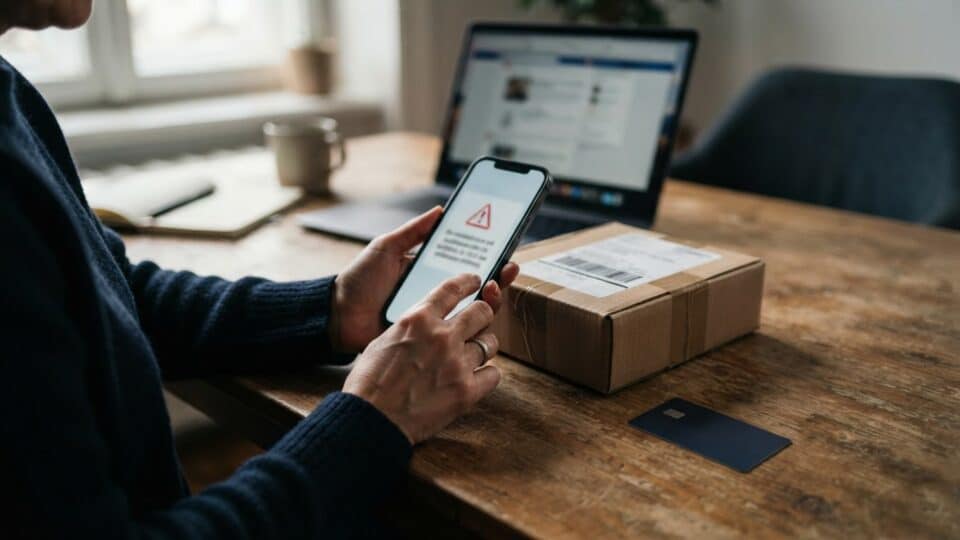
Online scams targeting people who post sales listings are again drawing the attention of cybersecurity specialists. On 27 November 2026, Romania’s National Cyber Security Directorate (DNSC) warned about fake transaction notifications designed to persuade sellers that they must confirm their bank details in order to receive payment for their goods. A day later, police also highlighted delivery and parcel-related risks during the holiday period.
The danger is not limited to people buying online. Someone selling a phone, car part, bicycle or second-hand furniture may receive what appears to be a legitimate request, even though there is no confirmed order in their account. InfoBuz explains the difference between receiving money and making a payment, how to check transactions, and what to do immediately if banking information has been compromised.
Online scams during the holiday period: warnings of 27 and 28 November
According to the DNSC warning of 27 November, reported by Ziua de Constanța, fraudulent messages claim that a product has been bought and that the seller must confirm receipt of the money on an external page. Such notifications may conceal requests for card details, fake support services and unjustified demands to add money to an account.
On 28 November, Radio Romania reported police recommendations on deceptive delivery notifications, unsolicited parcels and demands for money or banking details. The national prevention campaign for the winter season is also confirmed by an official notice from the Harghita County Police Inspectorate dated 27 November.
An unexpected notification should be treated as information that needs checking, not as proof that a transaction has taken place. The recent warnings describe a current variation of phishing, a fraud category that has been known for some time. The information consulted contains no statistics on the number of victims or the losses caused solely by this variation. It would not be accurate to attribute general online-fraud figures to this specific scam.
The basic rule: check whether you are receiving or sending money
In a normal sale, it is the buyer who pays the price of the item. If a banking app asks you to authorise a payment to an unknown merchant, the transaction does not become money received simply because someone describes it that way. The bank displays information about the transaction awaiting authorisation, and that information matters more than explanations received in an outside conversation.
Do not use a link sent by an alleged buyer to confirm that you have received money. Open your banking app and the classifieds platform directly, using apps installed from official sources or known web addresses. Check the actual status of the funds and the order. A screenshot of a payment, an automated message or a graphical confirmation symbol is not proof that your account has been credited.
| What you are asked for | What to check |
|---|---|
| An IBAN for receiving money | Providing it through the service’s official channel may be legitimate. Do not provide further information without justification. |
| Card number, expiry date and CVV/CVC to receive money | A major fraud warning sign. Do not enter these details on a page identified by an unknown contact. |
| PIN, banking-app password or one-time code | Confidential information. Do not disclose it to anyone else. |
| Confirmation of a payment in the banking app | Check the beneficiary, amount and nature of the transaction; reject a payment you did not initiate. |
| A requirement to keep a certain balance in the account in order to receive the payment | Do not add money to the account at a buyer’s request. Contact the bank or platform independently. |
| Documents for identity verification | These may be required in a platform’s genuine procedure. Access the process directly from your own account. |
Why a professional-looking page is not proof of authenticity
Phishing seeks to exploit trust in a familiar service. A brand name, a platform’s colours, a logo or a support chat do not prove that a page is operated by that company. Even an HTTPS connection merely shows that the connection to the domain being accessed is encrypted; it does not show that the domain belongs to the company the user believes they are visiting.
Rather than trying to establish the authenticity of every link you receive, use a simple rule: verify matters in an app or account that you opened independently. A real order, a parcel associated with the account or a genuine verification request can be checked through the official service. If there is no matching record, do not proceed with the action indicated in the message.
Automated messages can also arrive in conversations where the sender appears familiar. The identity displayed on a phone is no guarantee of origin. If someone claims to represent a bank, courier or platform, end the conversation and contact the service using official details you find independently.
OLX and identity verification: distinguishing the real process from a fake request
An important difficulty for sellers is that certain payment services do genuinely require identity verification, known as KYC (Know Your Customer). Not every request for personal information is fraudulent. What matters is who requests the information, for what purpose and through which channel.
According to OLX’s current verification guide, the payment processor PayU may ask sellers to confirm their identity and the bank account used to receive payments. The official process is accessed from the user profile, in the section for payment-receipt details. The documentation also says that verification requests received through external WhatsApp or SMS messages should be ignored. If a financial verification step appears, check its authenticity in the official account and, if anything is unclear, through the platform’s support service—not by following the buyer’s instructions.
According to OLX information on transferring the value of sold products, money can reach the IBAN account within a maximum of ten working days under the platform’s described flow. Incomplete identity verification or transfer problems may explain delays. The fact that money does not appear immediately does not justify entering card details on a page indicated by an unknown person.
Procedures are specific to each platform and may change. For Facebook Marketplace, OLX or other classifieds services, do not assume that the same payment and delivery mechanism exists. Consult the current documentation for the service you use.
Practical example: selling a phone for 1,200 lei
Suppose you have listed a phone for 1,200 lei. You receive a notification suggesting that the transaction has been completed. Before sending the item, open your platform account and check whether an order actually exists, whether the delivery method is one you accepted, and whether the details match. If the transaction is a direct bank transfer, check that the money has arrived in the banking app. If it is cash-on-delivery shipping through an official service, follow the order status under that service’s rules, which may provide for payment after delivery.
The moment you are asked to authorise a payment from your own account, stop the process and contact the official service. Even if the displayed amount matches the price of the phone, a debit is not money received. This is a hypothetical scenario intended to explain the necessary checks; it is not a documented case or reconstruction of an actual fraud.
| Situation observed | Prudent decision |
|---|---|
| A confirmed order exists in the platform account | Follow the official delivery and settlement process. |
| There is only a message or screenshot | Do not treat the item as sold until you have checked independently. |
| The banking app shows money has actually been received | Check the amount, source and transaction details. |
| The banking app asks you to authorise an unknown payment | Reject the transaction and contact the bank if there are concerns. |
Fake parcels and AWB numbers: how to check a delivery
During the holiday period, high shopping volumes can make it harder to keep track of every order. An AWB number given in a message is not, by itself, proof that you ordered that parcel or that you must pay a fee. Check the sender, recipient and cash-on-delivery amount against orders you actually placed.
On its official page on fraudulent messages, FAN Courier warns that SMS requests for confidential banking information or verification codes are suspicious. Delivery status can be checked directly through the courier’s official AWB tracking tool or app. For other companies, use that operator’s own tracking tool.
If you receive a parcel you do not recognise, check whether another family member ordered it. Refuse to pay cash on delivery without an identifiable order. If you are sending a product, retain proof of handover and transport documents. Do not change the shipment destination solely on the basis of an external message that cannot be verified in the official service.
What to do in the first minutes if you entered card details
Do not wait for the first suspicious transaction to appear. If you provided card information on an unknown page, contact the bank immediately, using the number in the official app or printed on the card. If there is a card-blocking feature, use it at once and ask the bank whether cancelling and replacing the payment instrument is necessary. A temporary block does not mean that disclosed details have become confidential again.
| What happened | Immediate action |
|---|---|
| You opened a link but did not enter data or download files | Close the page, do not interact with it and report the message. |
| You provided card details | Block the card and contact the bank for an assessment and replacement if needed. |
| You provided a password or authentication code | Contact the affected service; change login details from a secure device and revoke unknown sessions. |
| You authorised a transaction or notice suspicious debits | Inform the bank immediately, challenge the transactions and ask what blocking or recovery options are available. |
| You installed an unknown remote-control app | Disconnect the device from the network; contact the bank from another device and seek technical support. |
Keep the messages, conversations, displayed addresses and banking documents without revisiting the suspicious page. Record the date, time and amount of every transaction. For further details, read the InfoBuz guide to recovering money after an online scam.
Can you recover the money? The difference between authentication and authorisation
In Romania, Law No. 209/2019 on payment services governs rights and obligations relating to unauthorised transactions. Articles 169 and 171–173 are important: the customer must report the transaction without undue delay, while the provider has obligations regarding proof of authentication and, under the conditions set by law, reimbursement of unauthorised payments.
Article 173 provides, in principle, for reimbursement immediately or by the end of the next working day after the matter is identified or reported, subject to the legal exception for a reasoned suspicion of fraud communicated to the competent authority. The specific application depends on the classification of the transaction and the circumstances, including rules on the user’s liability. Technical authentication alone does not necessarily by itself prove authorisation of the transaction or the customer’s gross negligence.
A payment initiated by the victim as a result of manipulation may raise legal issues different from the unauthorised use of card details by someone else. A card payment may have a dispute procedure under the applicable rules, while recovery through the bank may be requested for a transfer. Neither should be confused with a promise of automatic reimbursement.
Ask the bank for a reference number for the report and a written response. If the dispute is not resolved, consumers may assess their eligibility for conciliation through the Centre for Alternative Dispute Resolution in Banking (CSALB), without assuming that the bank will accept every request or that the procedure guarantees recovery of the money. Do not delay notifying the bank until you receive an answer from the merchant or an investigation is completed.
Where to report an attempted scam
A report should reach the institution able to act on the particular issue. The bank secures payment instruments and examines disputed transactions; the platform can check and restrict reported accounts; DNSC can receive notifications of cybersecurity incidents; and the Police investigate possible offences.
| Recipient | What you can report |
|---|---|
| Bank | The disputed transactions, the time of the incident and the nature of the compromised data, through the secure channel specified by the bank. |
| Sales platform | The suspicious account, associated listing, conversation and transaction details. |
| DNSC | The incident and relevant evidence through the PNRISC platform. |
| Police | The report and evidence of the attempted fraud or loss, including documents from the bank. |
If you have lost money, also beware of people who later claim they can recover it in return for an upfront payment. Confirm the identity of any service provider and avoid payments or disclosure of information made under pressure.
Prevention: useful habits for every online seller
Enable bank notifications, use unique passwords and turn on two-factor authentication where available. Set payment limits suited to your needs; for transactions you make rarely, you can check whether the bank allows certain transaction types to be temporarily disabled. These measures reduce some risks, but they do not replace checking beneficiaries and amounts.
Do not publish photographs of identity documents, cards or documents containing personal information. Before sending a second-hand phone or laptop, transfer and save any data you need, remove personal accounts and follow the official reset procedure. See also the InfoBuz analysis of personal-data brokers and its guide to fraudulent QR codes.
Frequently asked questions about online scams when selling products
Can I receive money via IBAN without sharing card details?
Yes. A standard bank transfer can be made using the IBAN and other information needed for the transfer. A buyer transferring money to you does not need confidential card details or authentication codes.
Is it safe to open a link from a buyer if the page has a padlock?
The padlock does not certify the site’s commercial identity. Open the official platform independently and check the order status.
If the bank rejected a transaction, do I still need to block the card?
If card data has been compromised, speak to the bank immediately. Rejection of one attempted payment does not mean the details cannot be reused.
A safe sale starts with independent verification
The warnings issued on 27 and 28 November 2026 show why caution is needed from both buyers and sellers. When you receive a notification about money coming in, verify the transaction in the official account before sending the product or entering any information. Do not authorise an unknown payment in order to receive money. In an incident, how quickly you contact the bank and preserve evidence may affect the options for intervention.
InfoBuz.ro editorial analysis, documented on 28 November 2026. The DNSC warning of 27 November was consulted through reporting that reproduces the institution’s communication; the recommendations were cross-checked against official sources from the Police and the services involved. The financial scenario is hypothetical, and the legal information is general rather than an assessment of an individual case. The lead image is an AI-generated editorial illustration.


Discuția cititorilor
Ai o opinie sau o întrebare despre acest articol? Spune-ne ce crezi.
Fii primul care deschide discuția.
Te rugăm să păstrezi un limbaj civilizat și să discuți la subiect. Comentariile spam sunt filtrate automat.