
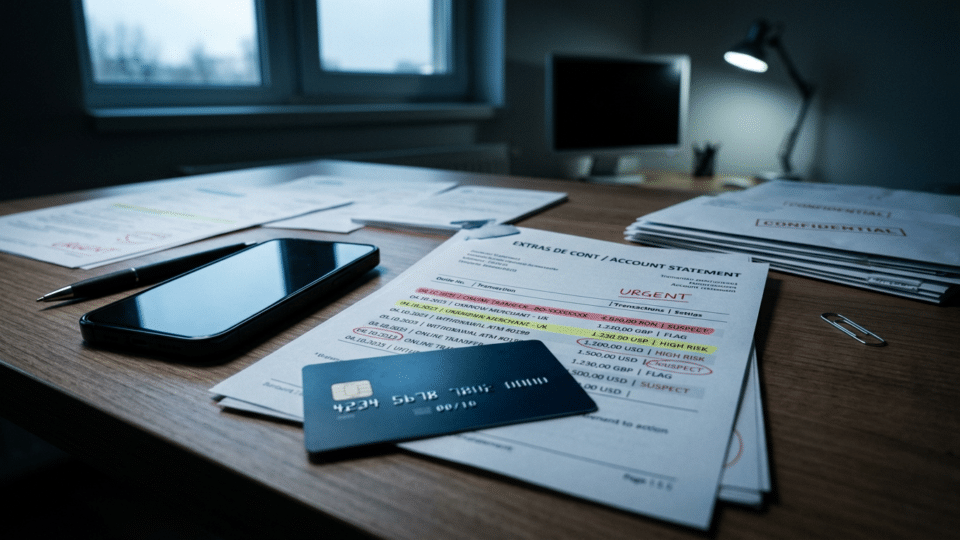
Sent money to an online scammer? The first 60 minutes are critical. No method guarantees that you will recover the money, but how quickly you contact your bank, block compromised access and preserve evidence can determine whether a transaction can still be recovered or has already been moved on.
For more information on phishing, see Sent Money to an Online Scammer? What to Do in the First 60 Minutes to Try to Recover Your Money, which provides additional details on the subject.
The guide below clearly distinguishes between the most common scenarios: a bank transfer authorised by the victim, a card payment, an unauthorised transaction, a digital wallet, a payment app and cryptocurrencies.
At a glance: what to do in the first 60 minutes
- Call your bank immediately using the official number in its app, on your card or on the bank’s website.
- State clearly: “I am a victim of fraud and I want the transaction blocked or recovered, if that is still possible.”
- If you provided your card details, block the card and request a replacement.
- If you provided passwords or authentication codes, block access to internet/mobile banking and change your passwords from a secure device.
- If you installed AnyDesk, TeamViewer or another remote-access application, disconnect the device from the internet and secure your accounts from another device.
- Save screenshots, conversations, IBANs, telephone numbers, links, statements and proof of payment.
- Report the incident to DNSC – 1911 / PNRISC if it involves phishing, a compromised account or a cyber incident.
- If you have lost money, file a report with Romanian Police.
1. If you made a bank transfer to a scammer
This is one of the most difficult situations, particularly if you authorised the transfer yourself. You should nevertheless contact the bank immediately and ask it to begin a payment recall procedure or freeze the funds, if the transaction has not yet been completed or if the recipient’s bank can intervene.
Tell the operator that you were deceived and that the payment resulted from fraud. Ask for:
- an urgent check of the transfer’s status;
- the payment to be blocked or held, if still possible;
- the recovery/recall procedure to be initiated;
- the recipient’s bank to be contacted;
- your report to be officially registered;
- a case reference number.
Important: if you authorised the transfer, the bank is not automatically required to return your money. Recovery depends on how quickly you act, the stage the payment has reached and the recipient bank’s cooperation.
2. If you paid by card
If you paid by card on a fraudulent website, block the card immediately and contact your bank. In some circumstances, a chargeback procedure may be possible, but it is not automatic and does not apply in the same way to every transaction.
Ask the bank specifically whether the transaction can be disputed and which documents are required. If you supplied the card number, expiry date or CVV, or approved a 3D Secure payment, also request a replacement card.
3. If you did NOT authorise the transaction
If you notice a payment or transfer that you did not authorise, the situation differs from one in which a scammer persuaded you to send money yourself.
Report the transaction as unauthorised immediately. The bank will open an investigation and ask you for details about the device, authentication, card and when you noticed the transaction.
Do not delete notifications, SMS messages, 3D Secure messages or the app history. They may be important in establishing how the transaction was initiated.
4. If you gave away your internet-banking password or SMS codes
Treat the account as compromised. Contact the bank and request a temporary block on internet/mobile banking access. Change the password from a secure device, not from the phone or computer on which you suspect malware or a remote-access application may be present.
- change your banking password;
- change the password for your main email account;
- enable two-factor authentication;
- close unknown active sessions;
- check recovery email addresses and telephone numbers;
- check whether new beneficiaries have been added in the banking app.
5. If you installed AnyDesk, TeamViewer or another remote-control application
This is a particularly dangerous scenario. Scammers can see your screen, intercept codes and initiate transactions while the victim believes they are receiving “technical support”.
Disconnect the device from the internet immediately and do not use it for banking until it has been checked. Use another trusted phone or computer to change passwords and contact the bank.
6. If you paid through Revolut, PayPal or another digital wallet
Contact both your bank and the official support service for the platform you used. If the transfer was internal to the app, the platform may have its own fraud-reporting mechanism and investigation process.
Do not communicate with “support” through numbers or accounts provided by the scammer. Go directly to the service’s app or official website.
7. If you sent cryptocurrency
Blockchain transactions are generally irreversible. However, if you bought cryptocurrency by card or bank transfer immediately before sending it, contact the bank and exchange platform without delay.
If the funds reached an account on a major platform that applies KYC procedures, authorities may in some cases request that the account be frozen. This is why it is important to retain the wallet address and transaction hash.
8. Evidence to save
- screenshots of conversations;
- telephone numbers and usernames;
- email addresses;
- links to the websites used;
- the beneficiary’s IBAN;
- the beneficiary name displayed in the transfer;
- the transaction’s date, time and amount;
- payment confirmation;
- account statements;
- SMS messages and authentication notifications;
- for cryptocurrency: the wallet address and transaction hash.
Do not rely only on screenshots. Also copy IBANs, wallet addresses, numbers and links as text, so they can be searched and easily passed on to the authorities.
9. DNSC: when to call 1911
For cyber incidents — phishing, compromised accounts, fake websites, malware or remote-access applications — you can contact Romania’s National Cyber Security Directorate (DNSC) on 1911 or report the incident through the PNRISC platform.
DNSC can guide you in securing devices and accounts, but reporting to DNSC does not replace reporting the matter to your bank or filing a criminal complaint when funds have been stolen.
10. When to go to the police
If you have lost money, your banking details have been used, an account has been compromised or the scammer continues to contact you, file a report with Romanian Police.
You can go to any police station. Romanian Police also provides an online petitions form for communications that are not emergencies. If there are threats, blackmail or immediate danger, call 112.
11. What NOT to do
- do not send more money “to recover the first amount”;
- do not pay “unlocking fees”;
- do not reinstall applications requested by the scammer;
- do not provide SMS codes, your PIN, CVV or banking password;
- do not delete conversations before saving the evidence;
- do not negotiate with the attacker after beginning the recovery process;
- do not move money to a “safe account” identified over the phone by someone claiming to be from the bank.
12. Watch out for “recovery scams”
Victims are often contacted again by people claiming they can recover the money for a fee. This is a very common second scam.
No legitimate bank, authority or company needs your password, SMS codes, a crypto wallet seed phrase or access to your screen in order to “recover” funds.
The first 60 minutes: a practical plan
| Timeframe | What to do |
|---|---|
| 0–10 minutes | Block the card/access and call the bank |
| 10–20 minutes | Request a recall, investigation or chargeback, as applicable |
| 20–30 minutes | Change passwords from a secure device |
| 30–40 minutes | Save all evidence |
| 40–50 minutes | Report to DNSC if there is a cyber component |
| 50–60 minutes | Prepare your report to the police and monitor your accounts |
Frequently asked questions
Can a bank cancel an instant transfer?
There is no guarantee. Instant transfers are executed very quickly, but you should contact the bank immediately so it can try to block or recover the funds through the recipient’s bank.
Can I request a chargeback if I approved the payment?
It depends on the type of transaction, the reason for the dispute and the card scheme’s rules. Do not assume it is guaranteed; ask the bank to check whether your case is eligible.
Is it still worth reporting it if the amount is small?
Yes. The same IBAN, telephone number or website may be used against many victims. Multiple reports can help an investigation.
What if the scammer says they will return my money if I pay another fee?
Do not pay. This is a classic pattern of continued fraud.
Conclusion
If you have sent money to a scammer, the most important thing is to act immediately and in the right order: the bank first, securing your accounts immediately afterwards, then evidence, DNSC and the police.
Recovery is not guaranteed, especially for authorised payments or cryptocurrency, but the first minutes are when a bank or platform is most likely to be able to intervene before the funds are moved on.
Official sources and resources
- National Cyber Security Directorate (DNSC)
- PNRISC – reporting cyber incidents
- Romanian Police – online petitions
- UniCredit – security recommendations and fraud reporting
InfoBuz article updated on 7 November 2026. Procedures differ between banks and payment services, and recovery of the money is not guaranteed.




Discuția cititorilor
Ai o opinie sau o întrebare despre acest articol? Spune-ne ce crezi.
Fii primul care deschide discuția.
Te rugăm să păstrezi un limbaj civilizat și să discuți la subiect. Comentariile spam sunt filtrate automat.